 CamHold
Stepping away from a video call: etiquette for a quick break
When stepping away from a video call is fine, when to type a line in chat, how long is too long, and the shortcuts that mute you and handle the camera.
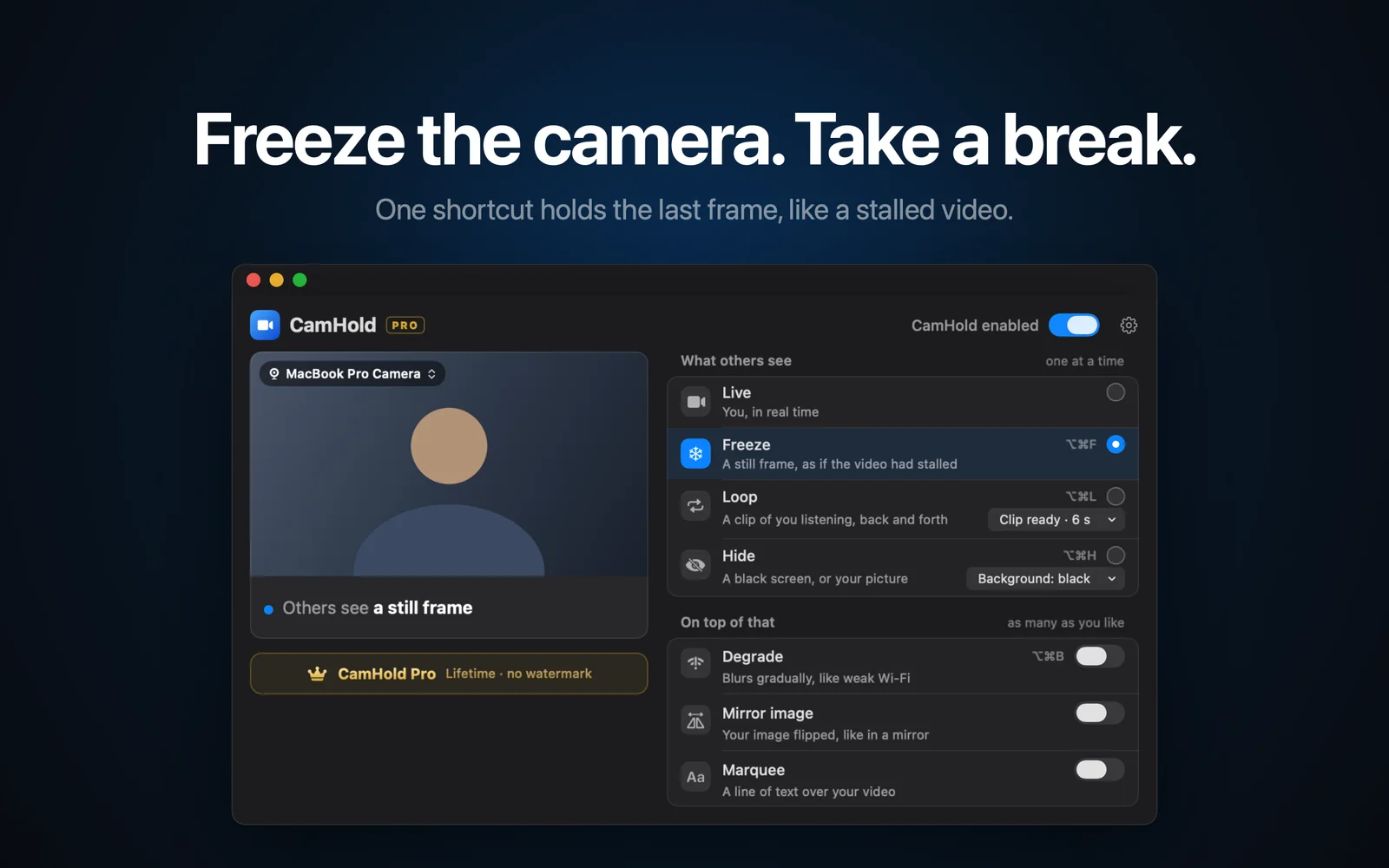
Stepping away from a video call for a minute is normal. Someone rings the doorbell, the water glass is empty, a kid or a dog needs something. What people notice is how you leave: mic open and an empty chair on camera, or muted, with a short note in chat and a picture you chose.
What follows is my own rule of thumb. There is no official etiquette for this, and your team's habits count for more than any guide, this one included.
Stepping away from a video call without a word
If you are not speaking and the meeting is in a stretch that does not need you, ten or twenty seconds away goes unnoticed. Mute, get up, come back. In a big meeting where half the tiles are dark anyway, nobody will see it.
A small meeting is different. In a one-on-one, or a call with three people and your manager, even a short exit deserves a sentence. Disappearing without one there looks like you lost interest.
When to say something in chat
Type a line in chat when:
- you will be gone for more than about a minute;
- you were the one talking, or you are likely to be called on;
- the meeting is small;
- the reason might show up on camera or in the audio, like a delivery, a doorbell or a child.
One line is enough: "back in 2 min, door". No long excuse, no medical details. People read it, carry on, and you did not interrupt whoever was speaking. A raised hand or a reaction does not say "I left", so the chat is clearer.
How long is too long
I do not know of an official number, and I would be suspicious of anyone who claims one. This is how I think about it:
- Under a minute: nobody minds, even unannounced in a large meeting.
- One to five minutes: say it in chat. That covers a coffee or a quick phone call.
- Over five: the meeting will have moved on by the time you are back. Tell whoever is running it, or plan to catch the recording if there is one.
If you need to leave often, say for a sick kid at home or a delivery window, talk to the person running the meeting once instead of slipping out every week. I wrote about that conversation in mandatory camera-on meetings, including reasonable ways to ask for breaks.
Mute first
Mute before you stand up. An open mic is the most common slip and the most embarrassing one, because everything in the room keeps going out to everyone. Glance at the mic icon in the call before you walk off. The Mac shortcuts, from each vendor's help pages:
| App | Mute or unmute | Camera on or off |
|---|---|---|
| Zoom | ⌘⇧A | ⌘⇧V |
| Google Meet | ⌘D | ⌘E |
| Microsoft Teams | ⌘⇧M | ⌘⇧O |
In Zoom you can also stay muted and hold the space bar to talk for a moment, which is handy when someone asks you a quick question right as you sit back down. For raise hand, leave and the rest, see Zoom, Meet and Teams keyboard shortcuts on a Mac.
The camera: on, off or held
You have three choices, and the first two are free and already in your call app:
- Leave it on. Fine for a few seconds. Any longer and the empty chair becomes the thing people look at.
- Turn it off. Honest and simple. Your tile shows your name or profile picture, and everyone can tell you stepped out. In a casual meeting this is all you need.
- Hold the picture or loop it. A virtual camera keeps the last frame on screen or plays a short clip of you listening, so there is no empty chair.
The third one is for the doorbell minute. It does not replace the chat note in a meeting where your presence matters or someone may turn to you, because a still picture cannot answer a question.
With CamHold
CamHold is the virtual camera I make for the Mac, and Freeze is the mode for this. For a one-minute absence:
- Mute in the call app.
- Press ⌥⌘F. CamHold holds the last frame, so others see a still picture, like stalled video.
- Get up, deal with it, come back.
- Sit roughly where you were, press ⌥⌘F again to go live, then unmute.
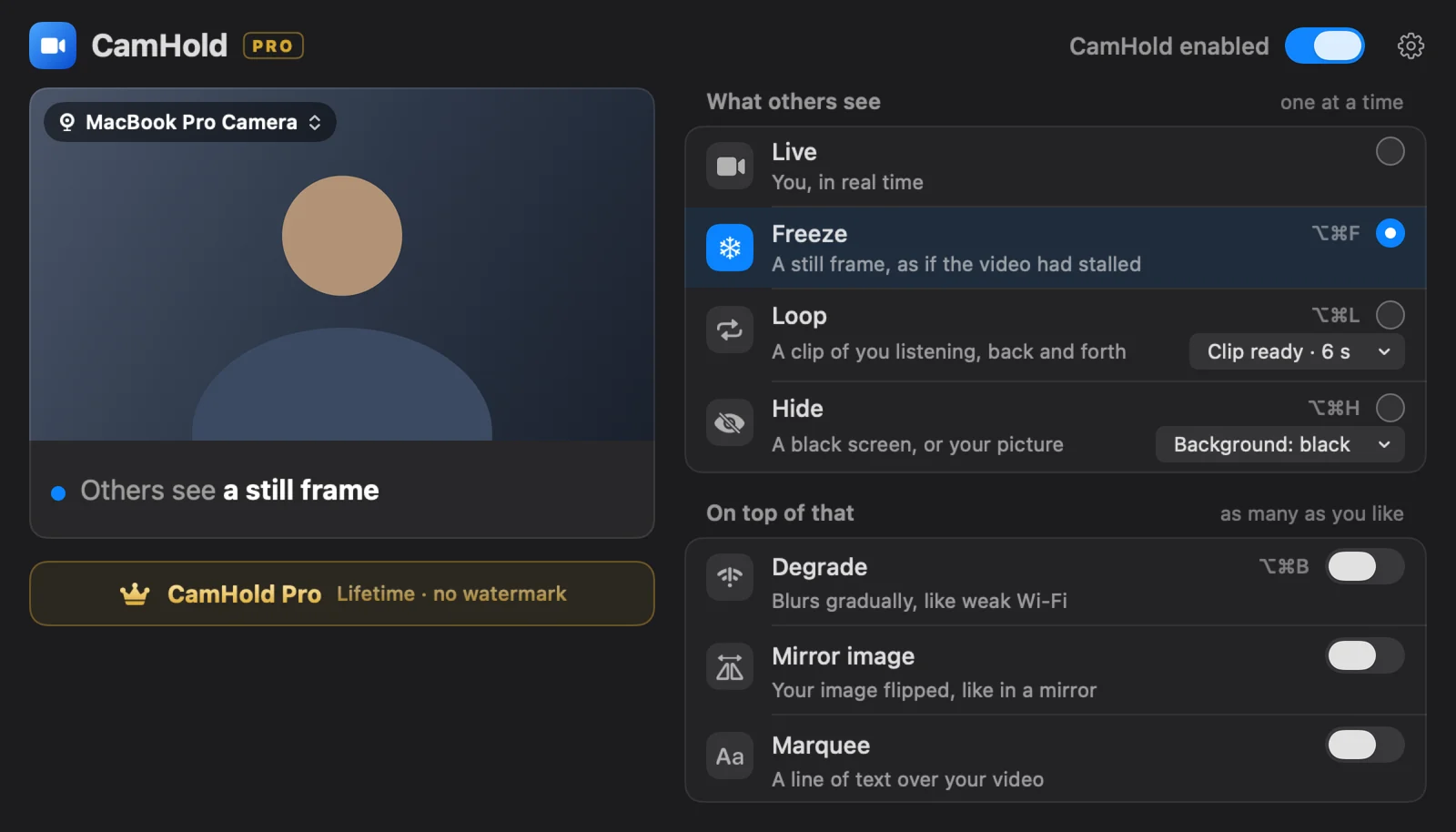
The shortcut works whatever app is in front, so you do not have to find a window on your way out. Over a few minutes, a picture that never moves can start to look odd. Loop plays a clip of you, up to 8 seconds, back and forth so the picture keeps moving; the steps are in how to loop a video of yourself on Zoom. If you are on Zoom, how to step away from a Zoom meeting unnoticed goes through the whole sequence.
CamHold only handles video. Audio goes straight from your mic to the call app, so muting is still on you. It is free on the Mac App Store; the free version has every mode and adds a small "CamHold — free" mark to the video.
Checklist for coming back
- Listen for a few seconds before you unmute, so you know what they are on.
- If you froze the picture, get back into about the same position before going live, so the jump is small.
- If you posted in chat, add "back". One word is enough.
- If you missed a question aimed at you, ask for it again rather than guessing.
Quick answers
Is freezing the picture dishonest? For a doorbell minute, I would put it next to fixing your hair before you turn the camera on. Using it to hide that you have left the meeting for good is a different thing, and I do not recommend it.
Do I need to announce it if I just turn the camera off? In a big meeting, usually not. In a small one, a sentence helps.
What if my mic stayed open? Mute, and if someone heard something, a quick "sorry, I'm back" settles it. Most people move on right away.