 CamHold
 vs FrostCam vs CamLoop vs FreezingCam on Mac
Five Mac apps that freeze or loop your camera in Zoom, Meet and Teams, compared on price, where to get them, features and macOS, plus where each one wins.
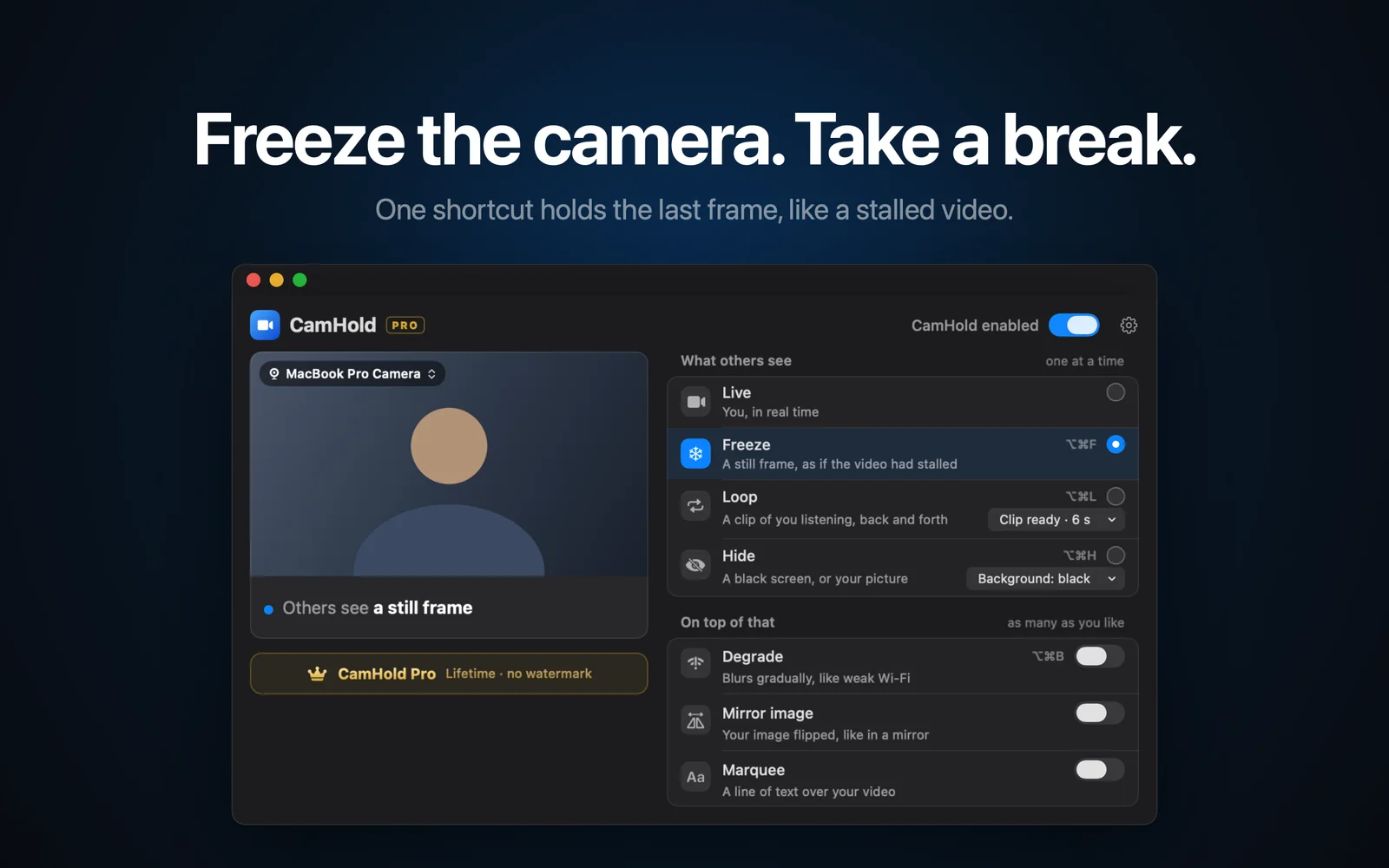
If you want to freeze your camera or loop a clip of yourself on a Mac, five apps do it today: CamHold, FrostCam, CamLoop, FreezingCam and Faux Pause. Each one shows up as a camera you pick in Zoom, Google Meet, Teams or FaceTime. What separates them is how you pay, where you download them and what they do besides freeze and loop.
I make CamHold, so weigh what I say with that in mind. Everything about the other four comes from their own sites and App Store pages as of October 2026, and I point out where each of them beats mine.
CamHold vs FrostCam vs CamLoop vs FreezingCam at a glance
| CamHold | FrostCam | CamLoop | FreezingCam | Faux Pause | |
|---|---|---|---|---|---|
| Where you get it | Mac App Store | Mac App Store | Its own site, Setapp | Its own site | Mac App Store |
| Free version | Every mode, small mark on the video | Freeze and loop, watermark | 1 clip up to 10 s, no hotkeys | None, 7-day trial on the yearly plan | Freeze up to 30 min a day |
| Paid | Pro, one-time in-app purchase | Pro $14.99 one-time | Pro $49 one-time or $4.99/month, included in Setapp | $49/year or $9.99/month | Pro $4.99 one-time |
| Freeze | Yes | Yes | As a Pro live effect | Yes | Yes |
| Loop | One clip, up to 8 s | 3 to 10 s | 10 s free, unlimited in Pro | Yes | Last 3 s, forward and back |
| Fake bad connection | Degrade | No | Simulated lag (Pro) | Stutter effect | Bad Connection mode |
| Minimum macOS | 14 | 13 | 14 | Not stated | 13 |
Prices change, so check the app's page before you buy.
CamHold
CamHold is on the Mac App Store only, needs macOS 14 or later and runs on Apple Silicon and Intel. The free download has every mode and puts a small "CamHold — free" mark on the video. CamHold Pro is a one-time, lifetime in-app purchase that removes the mark and unlocks Marquee, a note you place anywhere on the frame and can let scroll. There is no subscription.
There are four modes, one at a time: Live, Freeze, Loop (a clip of you listening, up to 8 seconds, played back and forth) and Hide (black, or a picture you choose). On top of any of them you can add Degrade, which fakes a weak connection that gets worse over a few seconds and recovers the same way, plus Mirror image and Marquee. Freeze, Loop, Hide and Degrade have global shortcuts, such as ⌥⌘F for Freeze. There is no account, no analytics and no network traffic at all.
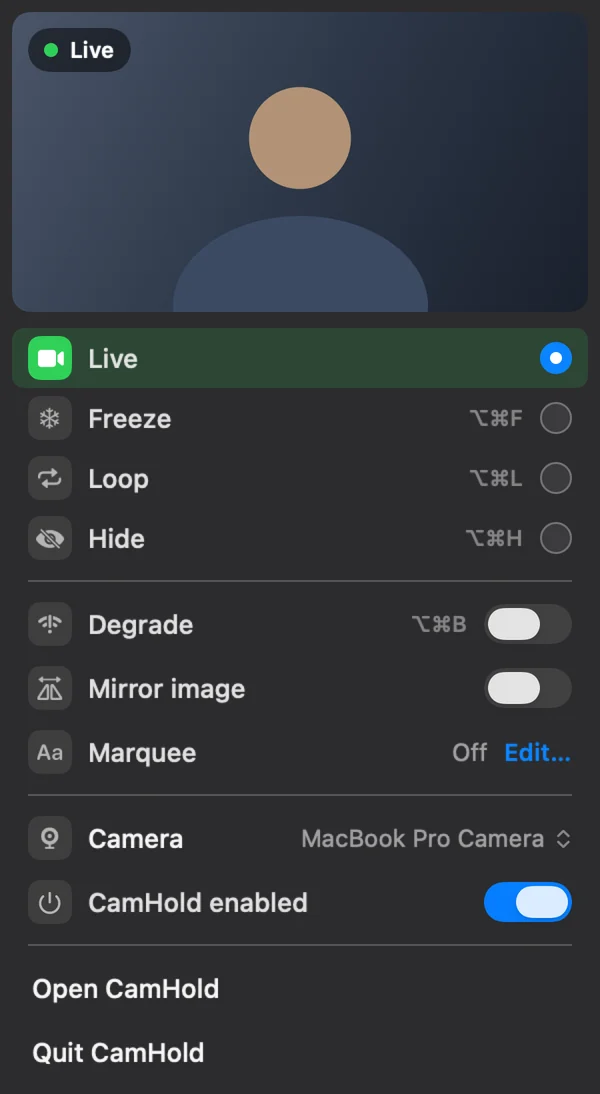
Where it loses: it needs macOS 14, so on macOS 13 your options are FrostCam or Faux Pause. The Loop clip tops out at 8 seconds and the app keeps one clip at a time, while CamLoop Pro stores as many clips as you want, at any length. And it is Mac only.
FrostCam
FrostCam is on the Mac App Store and needs macOS 13 or later. The free version already freezes and loops, with a small watermark, global shortcuts and a loop length you set between 3 and 10 seconds. Pro is $14.99 once and removes the watermark. A $24.99 Pro+ exists too; the developer says it adds nothing over Pro and is a way to support the app.
It is a good pick on macOS 13, or if you want a 10-second clip for a one-time price. Its site says it deliberately leaves out a fake bad-connection effect, so if that is what you are after, look at one of the others.
CamLoop
CamLoop is not on the Mac App Store. You download it from its site or get it through Setapp, where Pro is included in the membership. It needs macOS 14 or later. The free plan keeps one clip of up to 10 seconds, and you step away and come back from the menu. Pro costs $49 once or $4.99 a month, with a 7-day trial, and adds unlimited clips of any length, customizable global hotkeys, a simulated lag loop style, and live effects that freeze or degrade your real camera on command.
If you already pay for Setapp, it costs you nothing extra. It is also the pick for a library of clips to switch between. The catch on the free plan is the missing hotkeys: mid-call, the menu is slower than a key combination.
FreezingCam
FreezingCam is a download from its own site, and a license is required to use it. Its pricing page lists $49 a year with a 7-day free trial, or $9.99 a month with no trial. It freezes, loops a short clip of you and has a stutter effect that makes your connection look bad. The site names Zoom, Google Meet, Teams, Webex, Whereby and GoToMeeting, and has a setup guide for Discord. It has been around since 2021.
It suits someone who prefers a tool with a few years behind it and does not mind paying every year. If you also use Windows, its site lists a Windows version as coming (CamLoop has a waitlist for one). I go deeper on the subscription question in a FreezingCam alternative for Mac.
Faux Pause
Faux Pause is on the Mac App Store and needs macOS 13 or later. Its listing says the free version freezes for up to 30 minutes a day, and a $4.99 one-time Pro removes that cap. Besides Freeze it has Bad Connection, which repeats a few recent seconds with a stutter, and Full Loop, which plays your last three seconds forward and back.
If you only freeze for a few minutes at a time, the free tier may be all you need. Full Loop only has the three seconds before you press it; for a longer loop of you looking attentive, CamHold, FrostCam or CamLoop fit better.
Before you pay for any of them
If you only need to vanish for a minute, or cameras are not expected in your meetings, the call app may be enough. Zoom, Google Meet and Teams all let you turn the camera off, and the others then see your profile picture or initials. I cover that in how to show a picture instead of your camera. OBS Studio is another free route: it is open source, has its own Virtual Camera and can play a still image or a video file as your camera, at the cost of more setup. My roundup of the best virtual camera apps for Mac covers OBS, Camo and the rest.
How to choose
- No subscription, and freeze, loop, hide and an on-screen note in one app: CamHold.
- You are on macOS 13: FrostCam or Faux Pause.
- Free, with global shortcuts: CamHold or FrostCam. CamLoop keeps hotkeys for Pro.
- Short, occasional freezes at no cost: Faux Pause.
- You already have Setapp, or want many saved clips: CamLoop.
- You are fine with a subscription, or want Windows soon: FreezingCam.
Once you have one installed, the steps for picking it in each call app are in how to freeze your camera on Zoom, Meet and Teams, and how to loop a video of yourself on Zoom covers recording a clip that looks natural.
Quick answers
Do I need a particular call app? No. They show up in any app that lets you choose a camera.
Will any of them mute my microphone? CamHold will not. It only handles video, and audio goes straight from the microphone to the call app, so mute there.
Can I try before paying? Every one has a free version except FreezingCam, which offers a 7-day trial on its yearly plan.